Owners, Review Levels & Escalation
The right invoice. The right approver. Automatically.
Clean matches auto-approve. Every exception has an owner, and moves up review levels you define, such as AP Team, AP Manager and Finance Director, mapped to the groups in your identity provider. No more email chains. No more orphaned invoices.
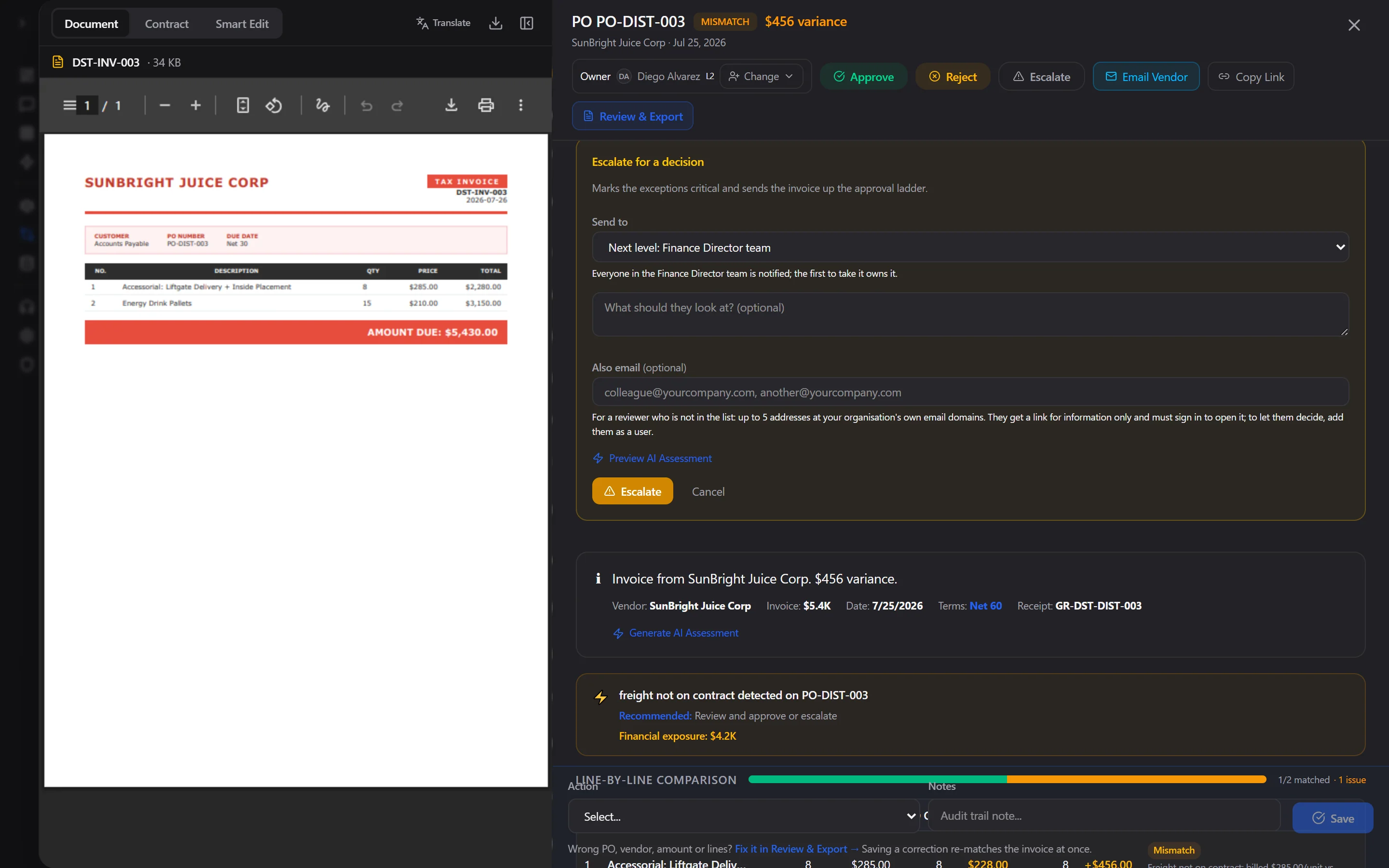
Escalate for a decision: the next level of your approval ladder, or a named person, with the evidence attached. Live product, synthetic data.
60–80%
Touchless Target (Clean POs)
Named
Owner on Every Exception
IdP-synced
Review Levels
100%
Decisions Audited
How it works
Define your levels
Name each review level, bind it to a group in Entra ID, Okta or Google (through SCIM or single sign-on) and give it a target turnaround. The same model runs AP approvals and clinical chart sign-off.
Auto-approve clean matches
Invoices that pass 3-way match within tolerance are auto-approved. No human touch required for routine processing.
Route exceptions to an owner
Routing rules place each exception with the right level, for example invoices over $25K with AP Manager. People see their own work in My Queue and are notified in the app and by email with a link.
Decide, escalate, audit
Approve, reject, defer or escalate to the next level or a named person, with the evidence attached. Every decision is logged with who, when and why.
Capabilities
Configurable rules engine
Threshold rules, skip rules, category rules, vendor rules, and custom rules. Rules are stackable and prioritized.
Auto-approval
Invoices matching within tolerance auto-approve — no human bottleneck for routine processing. Configurable per category.
Named owners and My Queue
Every invoice and finding is owned by a person or a review level. Each person sees their own work by name; managers assign and reassign, and an owner survives a re-match.
Review levels from your IdP
Levels are groups you already manage in your identity provider, synced through SCIM or single sign-on. Joiners and leavers change who can decide without touching InferonIQ.
Escalation that reaches a person
Escalate to the next level or a named person with the evidence attached. Approval steps that breach their SLA escalate automatically. Copy-only emails are limited to your own domains, so approval never leaves your authority chain.
Decision rights enforced
Only people allowed to decide can approve; viewers cannot. A step that is already decided cannot be approved twice, and every action is timestamped and attributed.
Frequently asked questions
Can I keep my existing approval process?
Yes. Define the levels you already use, bind them to your existing identity-provider groups, and set routing rules that match your approval matrix. Then improve it over time with auto-approval.
What happens when an approver is away?
Approval steps carry an SLA and escalate automatically when it is breached. Because work sits with a team as well as a person, anyone on the level can take it, and a manager can reassign it.
Does the same workflow apply to healthcare findings?
Yes. Clinical findings use the same owners, levels and escalation, for example Chart Reviewer, Chart Approval Manager and Medical Director, with notifications that carry no PHI and outside coders limited to the findings assigned to them.
See what we find before you commit.
Read-only connection. We review a sample of your invoices, agreements and supplier spend, then hand back a findings report with specific figures. If there is nothing to recover, there is nothing to pay.